
Expenses and cash advances, with or without Sage X3
Expenses approved, advances retired
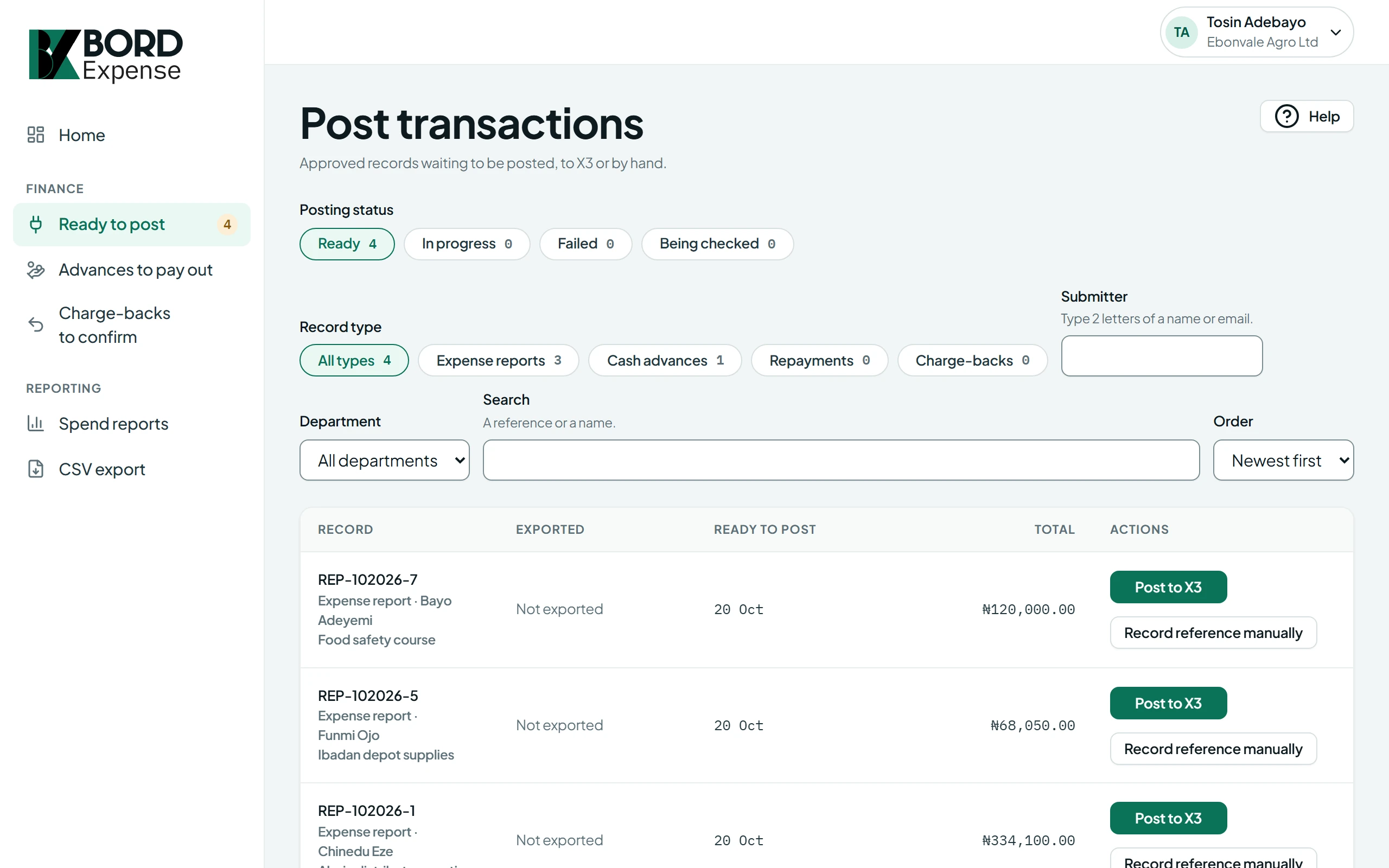
Your spending rules run when an employee submits, so they hear about a missing receipt while they can still fix it. Finance then checks the journal and posts it, by hand or with a CSV download. With Premium, it goes straight to Sage X3.
What every organisation gets
Approval steps you set
Send reports to the line manager, then to the finance director above an amount you choose. Approval limits are checked when a report is submitted, so it never lands with someone who can't approve it.
Every cash advance accounted for
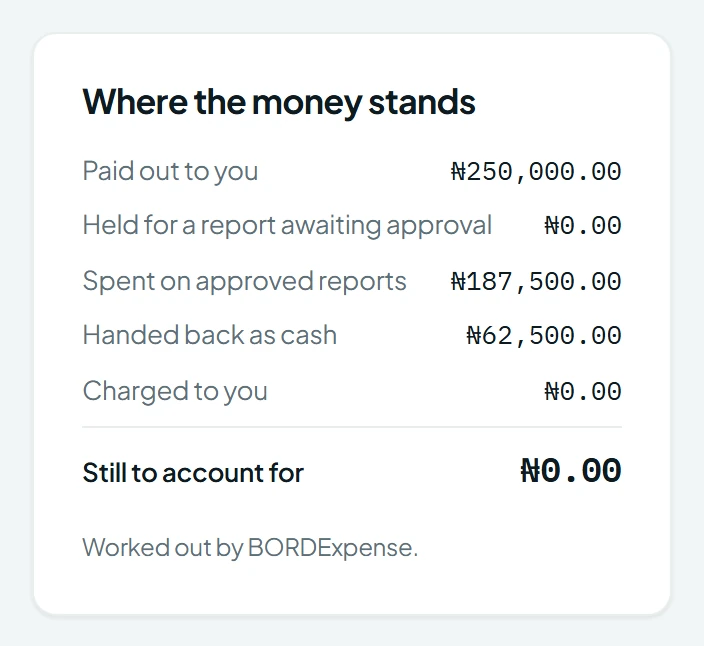
Finance records the pay-out, and the employee retires the advance on an expense report. Cash they hand back is recorded against it. Set a deadline, and whatever isn't retired by then comes to Finance to charge to the employee.
The journal, before it's posted
For every report and advance, Finance sees the GL account on each line, the debits and credits, and what's due to the employee. Then post it by hand, or download a CSV for your accounting system.
Made for African finance teams
Amounts are in your organisation's currency, and the screens say "retire an advance", as your finance team does.
Premium
Sage X3 integration
Available with Premium, for organisations that run Sage X3. Finance posts approved reports and advances from the same list, and they arrive in Sage X3 as journal entries.
More about Sage X3 with PremiumPost to X3 from Finance's list
Each journal goes to Sage X3 with its analytical dimensions, such as cost centre or project, and the Sage X3 reference is saved on the record. If sending fails, Finance retries, and a retry never creates a second journal.
We set up the connection
Our team sets up the Sage X3 connection and your analytical dimensions, then tests them with you before your first live posting.
Four steps to your accounts
Submit
An employee adds expenses and receipts to a report, or asks for a cash advance. Your spending rules run as they submit.
Approve
It goes to the approvers your steps name. Each one sees every line, its receipt and any policy flag on one page.
Check
Finance opens the journal, and can change each line's analytical dimensions, such as cost centre, before posting.
Post
Finance posts it by hand and records your accounting system's reference, or downloads a CSV. With Premium, it goes to Sage X3 and the reference comes back by itself.
What each person gets
One person can have more than one role.
Employees
- Record expenses with receipts, group them into expense reports, and ask for cash advances.
- If a receipt is missing or an amount is over a limit, you're told when you submit, with a link to the expense.
- You see only your own records.
Approvers
- One list of what's waiting for you, with each item's age, amount and policy flags.
- Open a report to see every line with its receipt beside it.
- You only receive reports and advances within your approval limit.
Finance and Finance managers
- One list of everything approved and not yet posted, and of advances past their deadline.
- Check each accounting entry, then post it by hand or download a CSV for your accounting system.
- With Premium, post straight to Sage X3. If sending fails, retry it without creating a duplicate entry.
- Record advance pay-outs and cash handed back, and download reports as CSV files.
- Finance managers see everything Finance sees, without being able to post or record a pay-out.
Administrators
- Set up departments, people, approval limits, approval steps, spending rules and expense categories.
- When an approver is away, hand their work to someone else.
- Search the audit trail. Every change is recorded there, and no one can edit it.
Questions finance teams ask
What is BORDExpense?
BORDExpense is an online service for employee expenses and cash advances. Employees record expenses and ask for cash advances, approvers approve them, and Finance checks the accounting entries and posts them to the accounts.
Do we need Sage X3?
No. Every organisation gets expense and cash advance approvals. Without Sage X3, Finance reviews each accounting entry, then posts it by hand or downloads a CSV for your accounting system. If you use Sage X3, the Sage X3 integration is available with Premium.
Does BORDExpense work with Sage X3?
Yes, with Premium. Approved expenses and cash advances post to Sage X3 as journal entries, and the Sage X3 reference is saved on each record. Talk to us about your version of Sage X3.
Does BORDExpense post analytical dimensions to Sage X3?
Yes, with Premium. Each expense line posts with the analytical dimensions your Sage X3 expense accounts track, such as cost centre or project. Values come from your organisation's setup, and Finance can change them before posting. Our team configures and tests the dimensions during your setup.
Who sets up the Sage X3 connection?
Our team does, for each organisation on the Premium plan. We set up the connection, and test it with you before your first posting.
Does BORDExpense handle cash advances?
Yes. An employee asks for a cash advance, an approver approves it, and Finance records the pay-out. The employee then retires it against expenses on an expense report, and Finance records any cash handed back. Your organisation can set a deadline for retiring each advance.
Who uses BORDExpense?
Employees, approvers, Finance, Finance managers and administrators. One person can have more than one role. Each organisation sets its own approval steps, approval limits, spending rules and expense categories.
How do we see a demo?
Fill in the form on the Request a demo page. Our team contacts you to arrange a time.
Bring your expense policy to the demo
Tell us how approvals and cash advances work in your organisation, and we'll show you the same steps in BORDExpense. If you use Sage X3, bring your questions about your version.